Make your own Python game
Prefer to read it all on one page? Here is the original blog post.
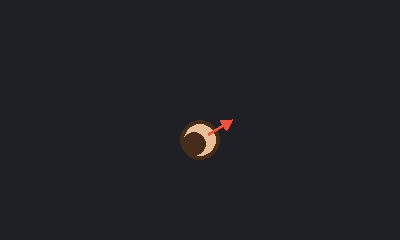
I wanted a tiny first game that someone who has never programmed can build in an afternoon, and that actually looks like a game when it runs. This one is called Bobgame. Bob is a round head seen from above, you move him with the W A S D keys, and an arrow on him always points at your mouse. That's it, but it's the exact base that real top-down shooters start from.
The finished code is open source, so you can always compare against mine: github.com/carlpaton/bobgame. The whole game is only about 90 lines.
This guide is written so anyone can follow it, even if you have never programmed before. If something doesn't make sense, run the code anyway, change a number, and see what happens. That is how most programmers learn.
This is what you'll have at the end. Bob is the round head, and the red arrow points at the mouse.
Pick a step
Do the steps in order. Each one is on its own page so you only see a little bit at a time.
- 1Install Python
- 2Install VS Code and the Python extension
- 3Make the project folder and a virtual environment
- 4Install pygame-ce
- 5Plan the files
- 6Write settings.py
- 7Write game.py and open a window
- 8Write main.py and run it
- 9Write player.py and draw Bob
- 10Move Bob with W A S D
- 11Make the arrow follow the mouse
- 12Check it against the finished code
- ★Challenges
Want the whole thing on one page? Read the full blog post. The finished code is on GitHub.